| Welcome, Guest |
You have to register before you can post on our site.
|
| Forum Statistics |
» Members: 7,666
» Latest member: xenni
» Forum threads: 6,552
» Forum posts: 89,465
Full Statistics
|
| Latest Threads |
Willy Wonka and the Choco...
Forum: Released
Last Post: izzybell
2 hours ago
» Replies: 1
» Views: 28
|
My Father is a Hero (给爸爸的...
Forum: Requests, proposals, help
Last Post: MrBrown
3 hours ago
» Replies: 7
» Views: 613
|
OpenMatte
Forum: Presentation
Last Post: adrianrollins
6 hours ago
» Replies: 0
» Views: 22
|
The Wild, Wild West (1965...
Forum: Released
Last Post: Stamper
11 hours ago
» Replies: 12
» Views: 14,436
|
The Frighteners restorati...
Forum: Official and unofficial releases
Last Post: Beber
Yesterday, 08:12 PM
» Replies: 7
» Views: 1,406
|
Titan A.E. Cinema DTS syn...
Forum: Released
Last Post: Kado_2020
Yesterday, 06:55 PM
» Replies: 4
» Views: 308
|
Rambo trilogy original mi...
Forum: Requests, proposals, help
Last Post: izzybell
Yesterday, 05:27 AM
» Replies: 131
» Views: 144,575
|
Hello Everyone!
Forum: Presentation
Last Post: larrycasey
2026-10-26, 09:23 PM
» Replies: 0
» Views: 52
|
Rumble in The Bronx (紅番區)...
Forum: Released
Last Post: Stamper
2026-10-26, 08:37 AM
» Replies: 68
» Views: 66,565
|
Hello Everyone!
Forum: Presentation
Last Post: GraffitiDon
2026-10-26, 01:12 AM
» Replies: 0
» Views: 95
|
|
|
| The Dark Knight full 4K IMAX 1.43:1 restoration |
|
Posted by: bobbster574 - 2023-05-19, 01:42 PM - Forum: In progress
- Replies (52)
|
 |
EDIT [24/01/2024]:
v1.0 (2K ver) is done! if you dont want to spend the time scrolling through the thread, check out here https://fanrestore.com/thread-5269-post-...l#pid89233 (hopefully link works lol)
------------------
hiya! i get that this is not an entirely novel idea but i think i have something to bring to the table that i have yet to see, and so far showing this stuff off people seem to like it, and it was mentioned itd be perhaps an interesting idea to post here! 
im sure you've heard this before: The Dark Knight (2008), has IMAX sequences which were originally shot in 1.43:1, but cropped to 16:9 for the Blu-ray presentation. there is a bonus disc in one of teh special edition box sets which has the main IMAX sequences in the original full frame presentation, but not quite everything. there is an old fullscreen 4:3 DVD which has something approaching the full frame (and way more image than the Blu-ray) but of course is 480p so you can't just drop it in as-is because its pretty soft
my idea: use a combination of upscaling and compositing to obtain near-native quality out of the lower resolution shots with the help of the 2K and 4K Blu-rays. i say near-native because some of the frame will be upscaled, but a good portion of the frame (and usually the portion which has the subject of the frame) will be true native, and the top/bottom of the frame is often sky or kinda out of focus so there isnt as much detail or sharpness to begin with.
i was originally just gonna upscale the stuff missing from the bonus disc and call it a day but i decided itd be fun to go through everything. first upscale with the 2K Blu-ray, then after thats all done, do it with the 4K.
as a way of showing what ive done that isnt just posting individual shots, i re-edited the trailer with the available 1.43:1 footage, its not a 1:1 exact edit because of how a lot of shots arent in the final cut of teh film for their full length (or at all) but ive done my best. teh audio isnt edited at all so pls dont grill me too hard for audio issues 
but i do also have shot comparisons to show off  : :
![[Image: n1W9P27.jpg]](https://i.imgur.com/n1W9P27.jpg)
![[Image: X9fDaXX.png]](https://i.imgur.com/X9fDaXX.png)
![[Image: xcRZg47.png]](https://i.imgur.com/xcRZg47.png)
![[Image: 0Z0T3aN.png]](https://i.imgur.com/0Z0T3aN.png)
the couple things you might notice beyond the general quality improvement, are the slight changes in aspect ratio and colour. the 4:3 DVD footage is actually stretched a bit vertically, so when corrected it actually has an aspect ratio of ~1.35:1, and the colour has been matched to the Blu-ray.
if you want to see one in motion, i have a comparison here
so these are all 2K, as that is what im currently focusing on, but i have done a 4K proof of concept to show off what will hopefully be akin to the final release:
![[Image: 4SyKAIW.jpg]](https://i.imgur.com/4SyKAIW.jpg)
this was done with bonus disc footage so its a bit of a best case scenario, but realistically only like 30 or so shots need to be enhanced from SD so this should hopefully be representative of most of the film. the colour was attempted to match against the Blu-ray but i dont think its 100% there, im not exactly familiar with colour grading so im playing around with some tools ive found to try and get as close as i can. i will likely look into improving this by the time i get to work on the actual 4K version.
i will mention that, while i would like to have a HDR version, i dont have the equipment or skill to do something like that, at least at this point in time. for now i am focusing on the 2K version, then the 4K SDR version, before i will properly see how feasible HDR is. its on my mind, just its gonna be a bit of time before i get anywhere near it.
that's basically all i have to show off, thanks for reading! 
|

|
|
| Beauty and the Beast (1991) original theatrical reconstruction |
|
Posted by: framemaster - 2023-05-19, 01:29 PM - Forum: Requests, proposals, help
- Replies (7)
|
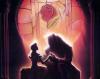 |
I'm redoing this post to make it more understandable and because the title was no longer relevant.
I want to recreate BatB with a similar look like on theater in 1991.
For the 2002 Special Edition release, there have been many change.
-Wrong Background at 8min30 and 56min30
-Armchair disapear at 31min23
-Color have changed a lot.
This project will use UHD Blu-ray as a base, as well as different sources, such as Blu-Ray 3D on certain scenes.
Or scenes from the 35mm scan.
The colors will also be reviewed.
BD and UHD do not have colors consistent with the original.
Blu-Ray 3D is the closest version to the original Caps files, but it still received some changes.
The 35mm copy is not "compliant with the original caps files" but I will still use it as a reference since it is close to the experience we had in VHS or LD.
I would use for color reference an average of 50% 3D BD and 50% 35mm.
For the 35mm project, it's on this page:
Beauty and the Beast (1991) 35mm (help needed) (fanrestore.com)
8min30 :
Original Background:
https://i.imgur.com/79IkIDf.jpg
Imax 2002/BD/3D/UHD Background:
https://i.imgur.com/eFeGeNJ.jpg
Background recreation (from elements on UHD) :
https://i.imgur.com/CypNpce.jpg
56min30 :
This error is present on UHD and BD, even when viewing in Theatrical Version.
Only the BD 3D doesn't have this problem.
Theatrical 1991 / VHS / LD / BD 3D
LD :
https://i.imgur.com/zYCDiiO.jpeg
Imax SE 2002 / DVD / BD / UHD :
https://i.imgur.com/hAssRxm.jpg
BD 3D :
https://i.imgur.com/esWZstQ.jpg
Gaston’s missing chair (31min23):
BD/UHD :
https://i.imgur.com/jRIzxRb.jpg
3D :
https://i.imgur.com/AiHxf6J.jpg
Project progress :
• Remade the good background at 0:08:30
-Isolate Belle on all frames of this scene (DONE)
-Recreation of the original background in 4k (WIP)
• Using the scene at 56min30 from the BD 3D to replace that on UHD
-Expand the space of BD3D (1.66) to get a 1.78 ratio (DONE)
• Replace the armchair (WIP)
• Replace some UHD scenes with 3D BD scenes that have more image (WIP)
• Replace the 3D logo castle opening, for the 80-90's logo castle (WIP)
-Find the best source for the 80-90's logo castle (for the moment, I've found the best on "The Black Cauldron" UHD Web DL)
• Change Color Timing (WIP)
|
|
|
|
| La double vie de Véronique AKA The Double Life of Veronique (1991) |
|
Posted by: xwmario - 2023-05-19, 12:50 PM - Forum: Released
- Replies (10)
|
 |
La double vie de Véronique AKA The Double Life of Veronique
IMDB: https://www.imdb.com/title/tt0101765/
As some of you may know, the new UHD audio is botched has several missing parts, the OG audio is from Criterion DVD which does not have missing parts
PS - As I do not have the LD, so cant say what's up with it…
Either way, I successfully synced the DVD audio to UHD (Curzon).
Code: Around 20 min mark you will notice that during the background noise (prolly bus ride) there is some dialogue/monologue @ Criterion But that is missing on Curzon and other Blu-ray as well. Criterion BD has the same audio but audio quality wise CC DVD > CC BD (very marginally)
And furthermore, there are several instances you find audio parts missing in Curzon (Outside the sample)
53m:37.278
56m:53.000
and more
PM me if you need the file
Regards
|
|
|
|
| Romancing the stone (original 2.0 surround) |
|
Posted by: titanic - 2023-05-18, 09:46 PM - Forum: Requests, proposals, help
- Replies (1)
|
 |
Years ago, I think someone from bluray.com, had given me an original stereo audio for Romancing the Stone synced to the blu-ray. But I'm not sure of its source. Maybe it's LD.
The Bluray audio is awful. I don't know how to tech talk, but it has its high frequencies cut off and sounds heavily filtered and muffled. You're missing eg. the drums in the music etc.
So, since I haven't contributed here at all (only as a donor), is anyone interested here in it? Shall I upload it?
Please understand though, this is not my own project, and in no way I want to take the credit for it.
edit: Ok, I think I found what it was.
It's up at myspleen, and it's a DVD audio, uploaded by Croweyes1121.
So, if anyone wants me to upload it here, let me know.
|
|
|
|
| The Lady Eve (1941) Amazon WEB-DL Synced to Criterion BD |
|
Posted by: axeyou - 2023-05-16, 02:00 AM - Forum: Released
- Replies (7)
|
 |
Hi all,
I synced an AMZN WEB-DL of The Lady Eve (1941) to Criterion's BD.
Here's Blah-ray's coverage: https://blah-ray.blogspot.com/2020/12/la...-1941.html
Looking at the waveforms, I'm pretty convinced that the WEB-DL I found matches the one on Blah-ray:
![[Image: ItKQ9kj.png]](https://i.imgur.com/ItKQ9kj.png)
![[Image: 2azlxDl.png]](https://i.imgur.com/2azlxDl.png)
![[Image: r6hAhd1.png]](https://i.imgur.com/r6hAhd1.png)
Notes on the sync:
- The video streams differ in two places:
1) Opening intros
2) The WEB-DL has 2 additional frames that's missing from the Criterion BD. This is on a scene cut boundary. (WEB-DL frame #69703, #69704)
- Even after adjusting for both, the two audio tracks still wiggle in and out of sync within 20ms or so throughout the film. So I mostly synced by video, instead of trying to align the audios perfectly.
- I applied an additional delay so that the desync b/w the two audios is mostly within +/- 10ms. Spot-checking a few scenes, I didn't notice any A/V sync issues.
- This is my first amateurish sync involving more than a simple delay. Any feedback and suggestions are most welcome!
Input: E-AC3, 2.0, 224 kbps, 48 kHz, (mediainfo doesn't report a bit depth here)
Output: PCM, 2.0, 2304 kbps, 48 kHz, 24 bits (maybe 16 bits would've been enough?)
PM me for a link.
I also kept the original E-AC3 track, in case anyone is interested in aligning it more accurately to the Criterion track themselves.
Cheers!
![[Image: AHoTWP6XqNreD4aGRUKfGB3ASi3IVz_small.jpg]](https://s3.amazonaws.com/criterion-production/films/4f5175b5c0e1c0619b482a9650356cc8/AHoTWP6XqNreD4aGRUKfGB3ASi3IVz_small.jpg)
|
|
|
|
| Laserdisc Collection for Sale |
|
Posted by: wongfeihung - 2023-05-14, 04:57 PM - Forum: Movies, TV shows and other
- Replies (20)
|
 |
I recently inherited a load of (mainly) golden age LD titles from my dad and wondered if anyone here would be interested in them?
I don't have an LD player myself, so they're of no use to me.
I'd have to make a list of the titles, of course, but maybe some could be useful for projects where superior audio is required.
Due to shipping costs I'd only be looking to sell within the UK and I'd prefer to sell in bulk via a courier.
Anyone who's seriously interested please PM me for further details.
Thanks.
|
|
|
|
| Remove text from video - Any new solutions? |
|
Posted by: bendermac - 2023-05-14, 12:59 AM - Forum: General technical discussions
- Replies (1)
|
 |
Does anyone know of a solution that actually works on video and looks good as well?
I've a project for a new trailer restoration in mind, but one scene has text overlay. This would make using the scene not possible, unless text removal has been gotten better, especially text on faces.
I hope someone can help here.
Thanks
|
|
|
|
| Hello |
|
Posted by: emunateD - 2023-05-12, 05:38 PM - Forum: Presentation
- No Replies
|
 |
Hello, long-time lurker and just wanted to say Hi. Recently, I have been in awe of how much better Laserdisc soundtracks are to even the most recent UHD remasters, so have been collecting/exploring those.
|
|
|
|
|


